This lesson describes the software interface used when it was written.
Tagging methodology in Ipro for Enterprise (IFE) has evolved from Eclipse Web.
What's gone:
- You can no longer add tags on-the-fly to your overall list of tags
- You can no longer right-click on a tag to find any documents tagged/not tagged
How you tag documents is now split:
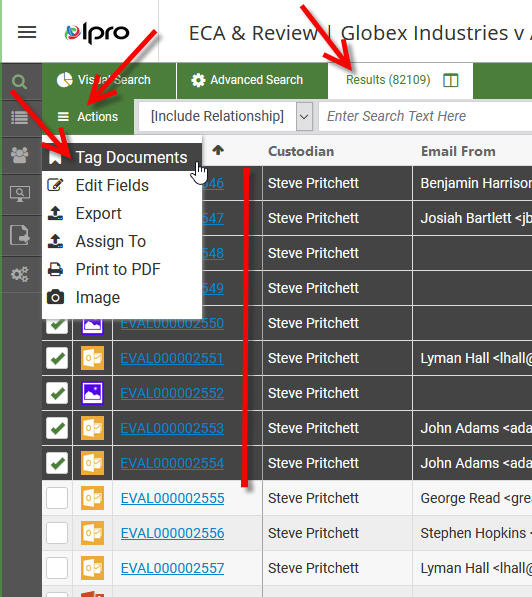
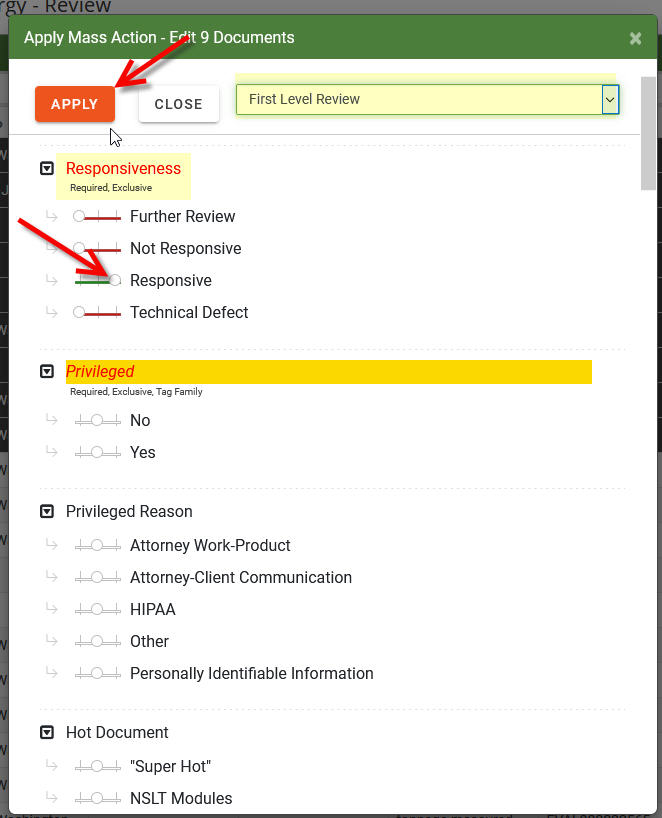
- You can tag documents in the main Results tab, via a new Actions tab
- You can tag documents like you did in Eclipse Web, when viewing a document, via a tag palette (determined by coding form)
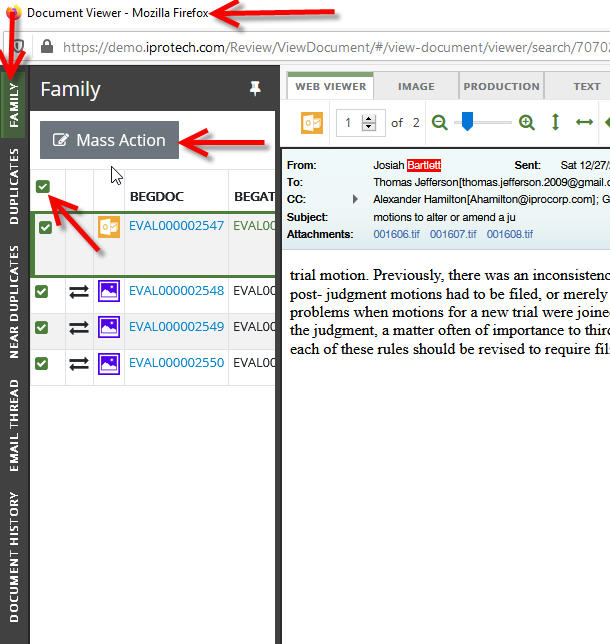
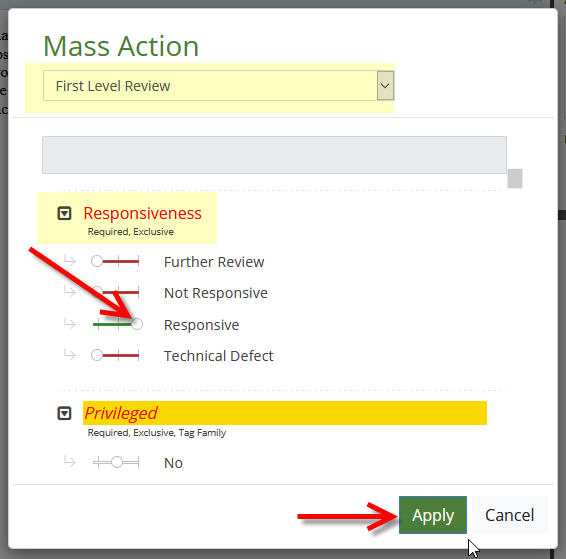
- Lastly and finally, as you review documents and need to apply tags as you also review families, email threads, etc, a new Mass Action tab/box is available to bulk tag documents.
Searching or finding tags is a bit more involved:
- You have fields available for each tag group you could have viewable when reviewing, thus you could Tally or Filter to find tagged documents
- You could use Smart Folders to display folders that provide access to the documents tagged. You will need to make sure they are always getting refreshed/updated
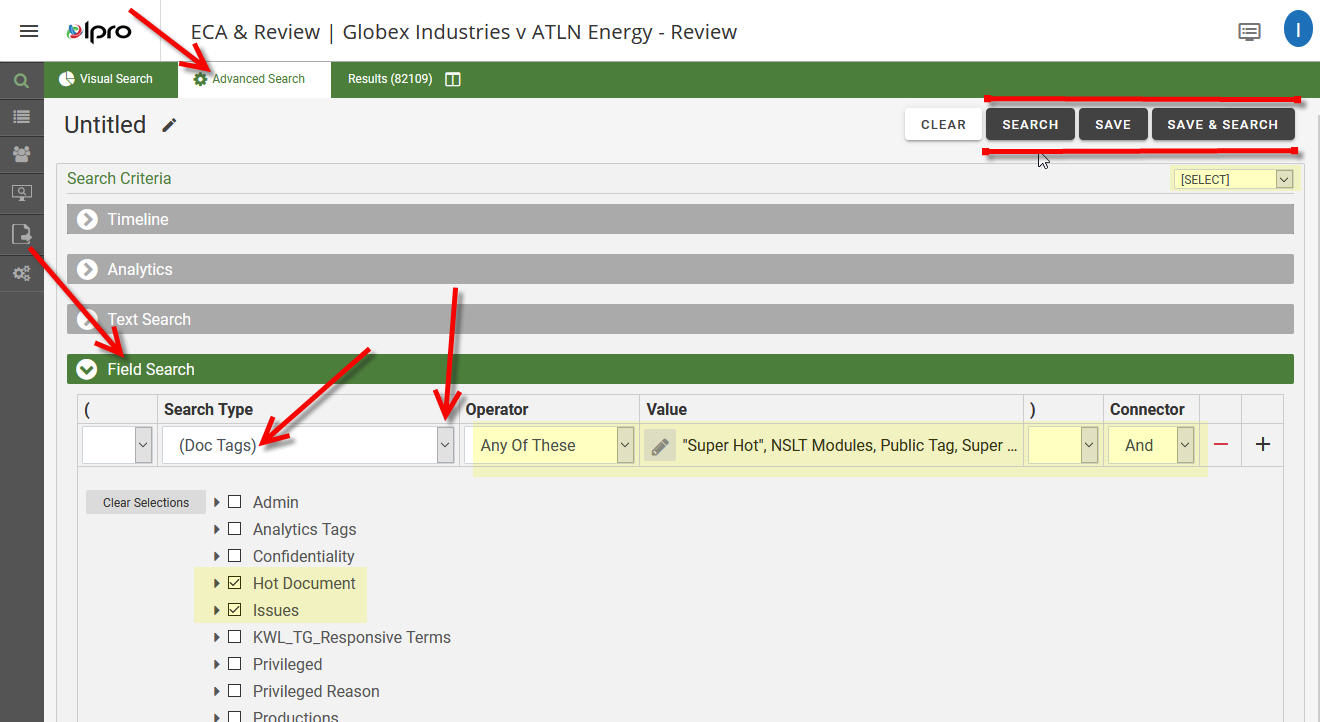
- You could build an Advanced Search to find your tagged documents
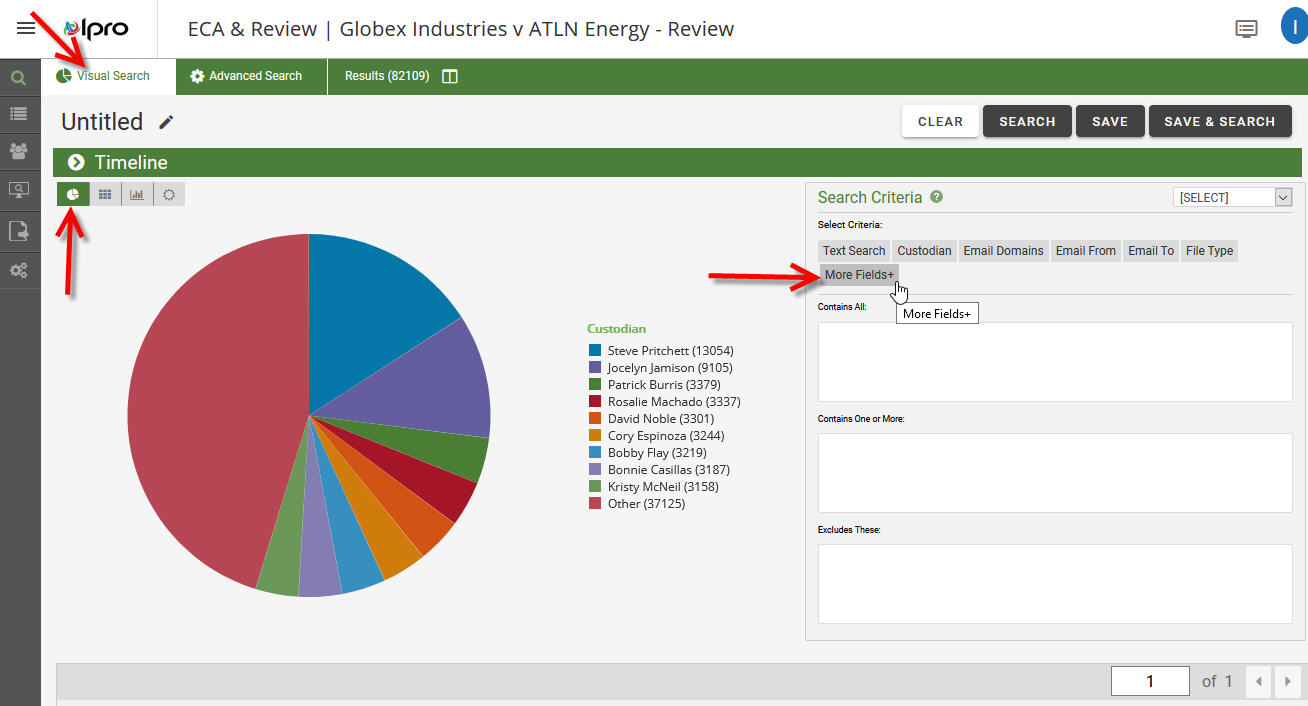
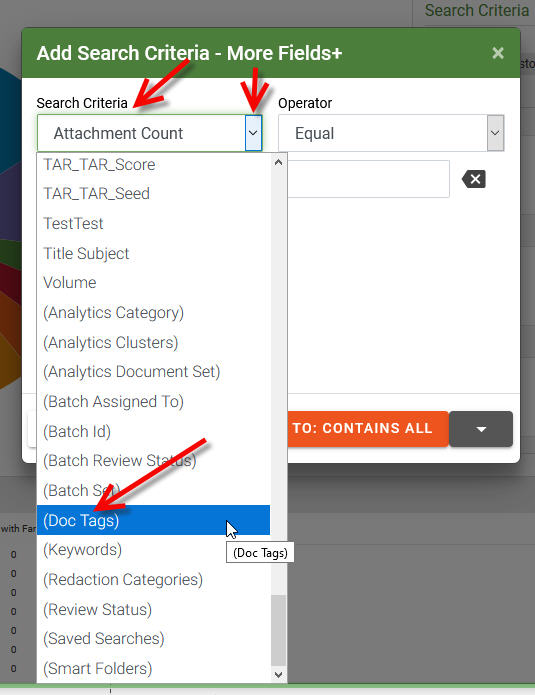
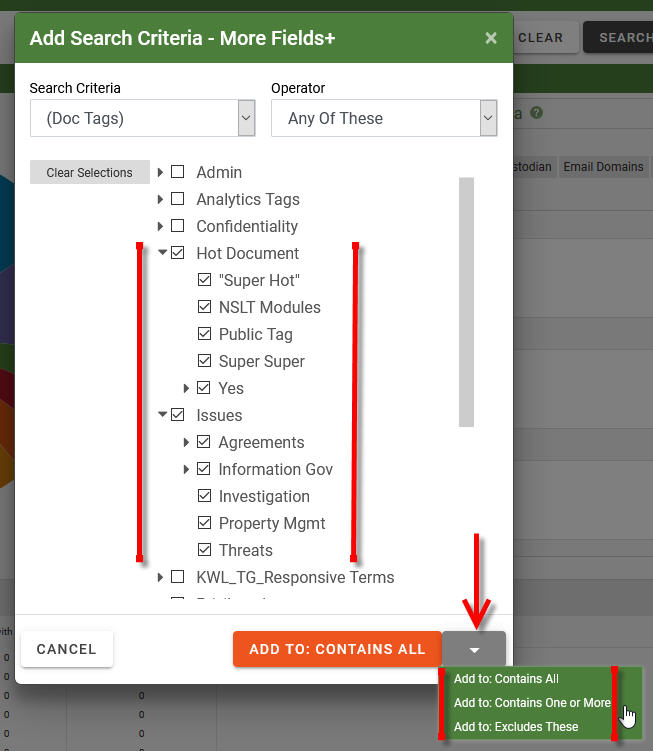
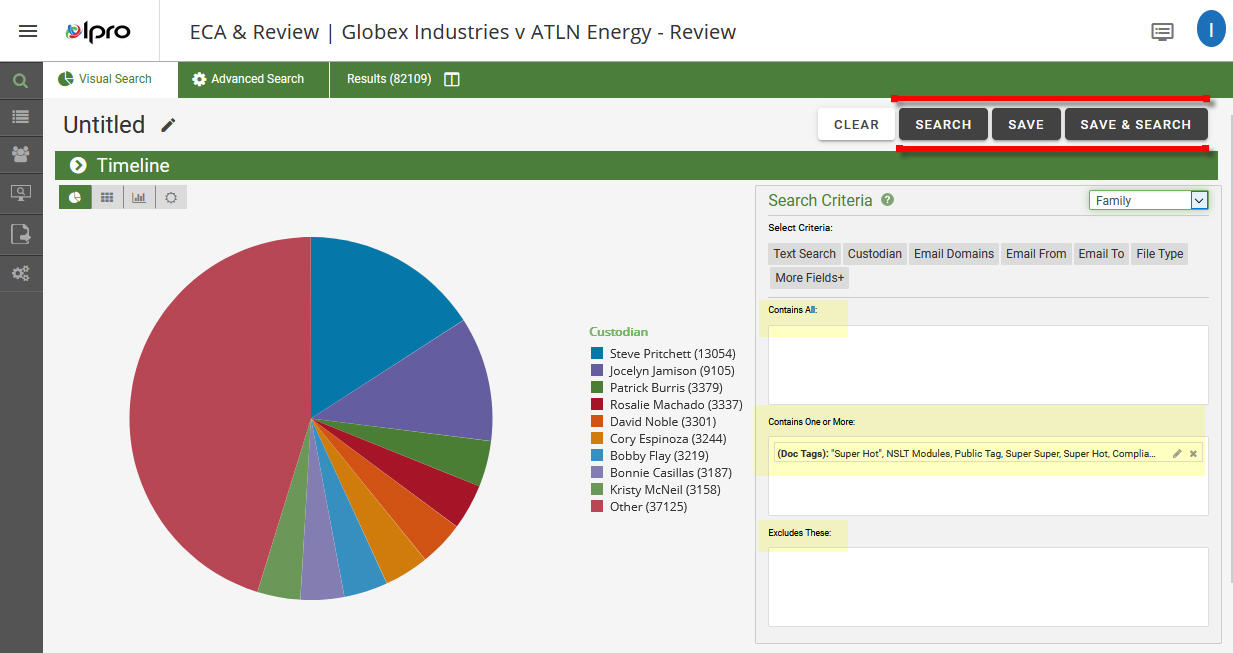
- Lastly, the Visual Search feature may be one you want to try. It takes a bit more finesse, but a possibility