This lesson describes the software interface used when it was written.
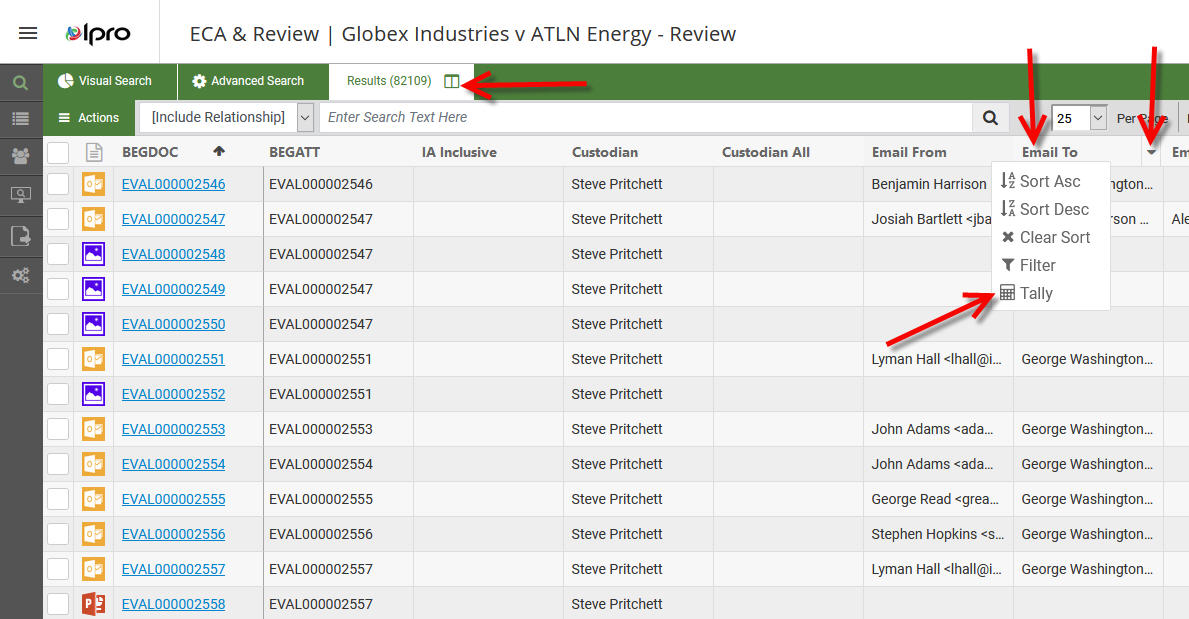
Tally steps have changed just a bit, for those former Web users. For those that are new to the Tally feature, it's a feature that has a two-fold purpose. Tally accounts for all unique items contained in field/column of data and then allows you to quickly retrieve those records.
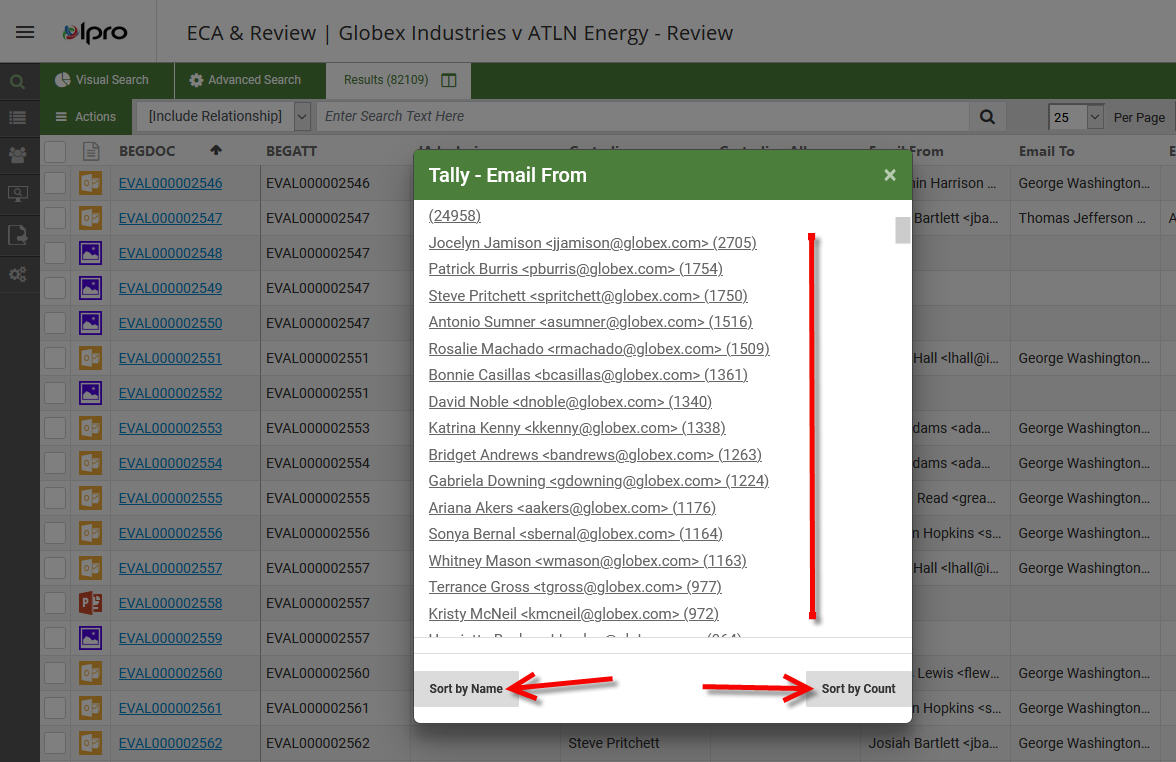
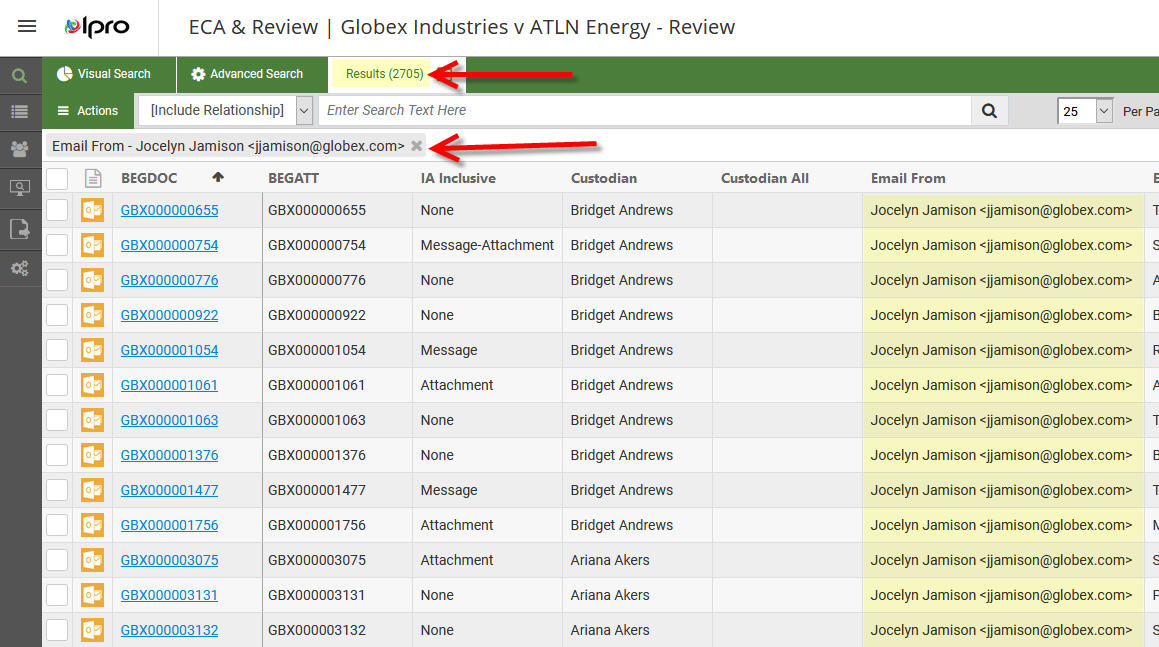
In the screen shots, I've tallied the Email From field, which then displays/lists all the entities that have sent emails, with a number after, which lets you know how many documents are related to the tally item. In this instance, Jocelyn Jamison has sent 2705 emails. Is that good to know? Perhaps. The list that Tally compiles, for any set of data in most fields, can be invaluable to know given how quick and easy it is to use this feature.
The second element to the Tally feature is that it allows for you to tally the contents of what you've already tallied. Now that you've found those possibly relevant Jamison emails, you can tally the Email To field, to see to whom she's sent emails, and then perhaps to begin reviewing those emails. No advanced search to wrap your head around, you've gathered these emails in a matter of seconds!